
Autolay LogoAUTOLAY
Vloercalculator
Geautomatiseerd vloeren leggen
Legplan makengratis starten
Aan de slagTutorialGidsen
Probeer de demo
Plattegrond3D-scanBIM
VloerlegrobotWerkwijzeTechnologieDiensten boekenRobotdashboardinloggen
Autolay
Vloercalculator
Legplan makenAan de slagTutorialGidsen
Probeer de demo
Plattegrond3D-scanBIM
Geautomatiseerd vloeren leggen
VloerlegrobotWerkwijzeTechnologieDiensten boekenRobotdashboardinloggen
Taal
Autolay Logo
AUTOLAYAutomated Flooring

Bedrijf

Over onsNieuwsbrief

Service

KlantenserviceOnze dienstenAPI voor ontwikkelaars
© 2026 Autolay. Alle rechten voorbehouden.
ColofonPrivacybeleidAlgemene voorwaardenHerroepingsrechtCookies

Wij hechten waarde aan uw privacy

Wij gebruiken cookies voor websitestatistieken (Google Analytics).

We gebruiken cookies om ons websiteverkeer te analyseren met Google Analytics en uw ervaring te verbeteren. Lees meer over hoe wij met uw gegevens omgaan in onze privacyverklaring en ons cookiebeleid.

"Alles accepteren" schakelt Google Analytics in, zodat we kunnen zien hoe de site wordt gebruikt. "Alleen essentiële accepteren" activeert geen analytische cookies — er worden alleen de cookies geplaatst die nodig zijn om de site te laten werken.

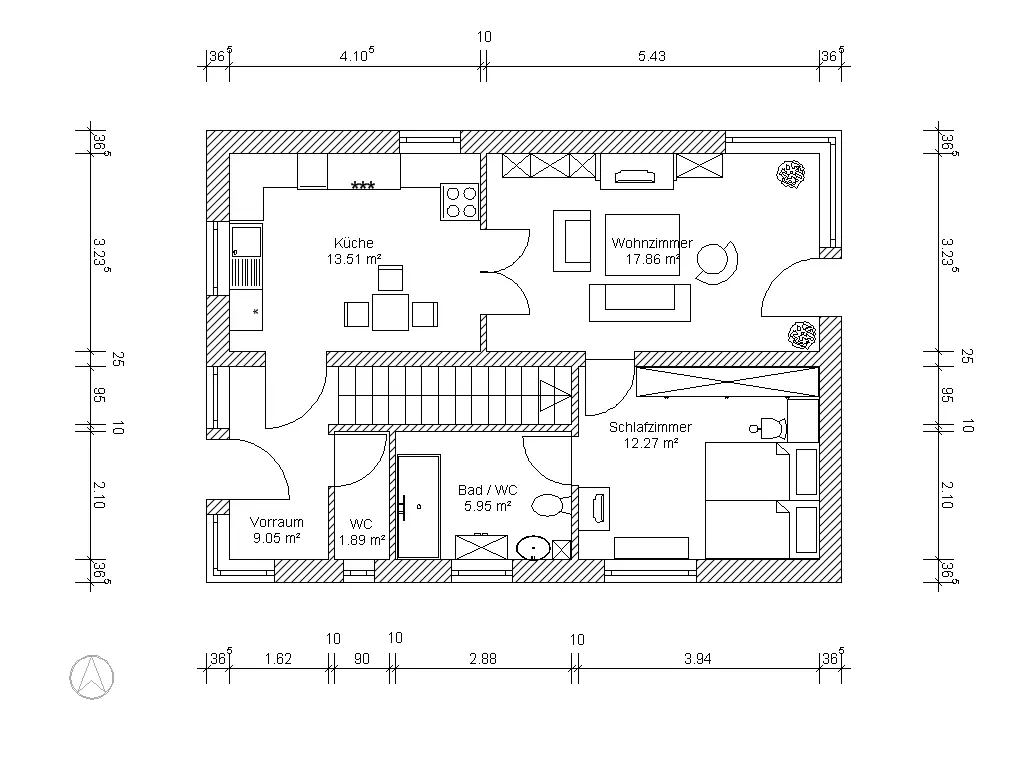
A photographed architectural floor plan with dimension lines and room labels.
Cost total

A Layout Plan That Ends With the Cost

Square metres are not a budget. Autolay lays out your real room, counts whole packs instead of bare area, adds underlay, adhesive and skirting from the catalogue, and shows the total in your currency — before you order anything.

Try it on the demo plan →
Planks, whole packs, wasteBUDGET
NET 20,0 m²PACKS 9WASTE 6,5 %

Most free planners stop at an area and a waste percentage. What you actually have to decide is whether to order eight packs or nine, and what that costs once underlay and adhesive are on the delivery note. That is a different calculation: packs come whole, offcuts are not free, and accessories are sold by the roll and the bucket.

From room to cost total in three steps

  1. 1

    Bring the room in

    Type the room dimensions, or import the floor plan as a photo, PDF, DXF, IFC/BIM model or 3D scan. The plan is what makes the count exact: the cuts at the walls depend on the real shape of the room.

  2. 2

    Enter your prices

    Per square metre, or as pack size and price per pack the way the shop sells it. For a tender, material, subfloor, adhesive and labour can be priced separately per square metre. The currency follows your language — euro, US dollar, pound, franc, Canadian or Australian dollar.

  3. 3

    Read the total

    The result step shows the net area, the material actually needed, the whole packs, the waste percentage and the cost, plus the accessories from the catalogue as a shopping list. Save it with the project or export it together with the laying plan.

How the total is built

An example with a 20.0 m² room, laminate at 6.5 % waste, and prices you enter yourself:

  • 20.0 m² of floor plus the offcuts the layout actually produces = 21.3 m² of material.
  • At 2.50 m² per pack that is 8.5 packs, so 9 packs — 22.5 m², because nobody sells half a pack.
  • 9 packs at 24.90 € = 224.10 €.
  • Underlay for 20.0 m² at 15 m² per roll = 2 rolls at 19.90 € = 39.80 €; accessories are always rounded up to whole units.
  • Total 263.90 €, with 1.2 m² left over — the number a plan without a price never gives you.

See the total on the demo plan

Open the demo floor plan, pick a material, type the price your supplier quotes, and the result step shows the packs, the waste and the total. Your own room takes the same six steps.
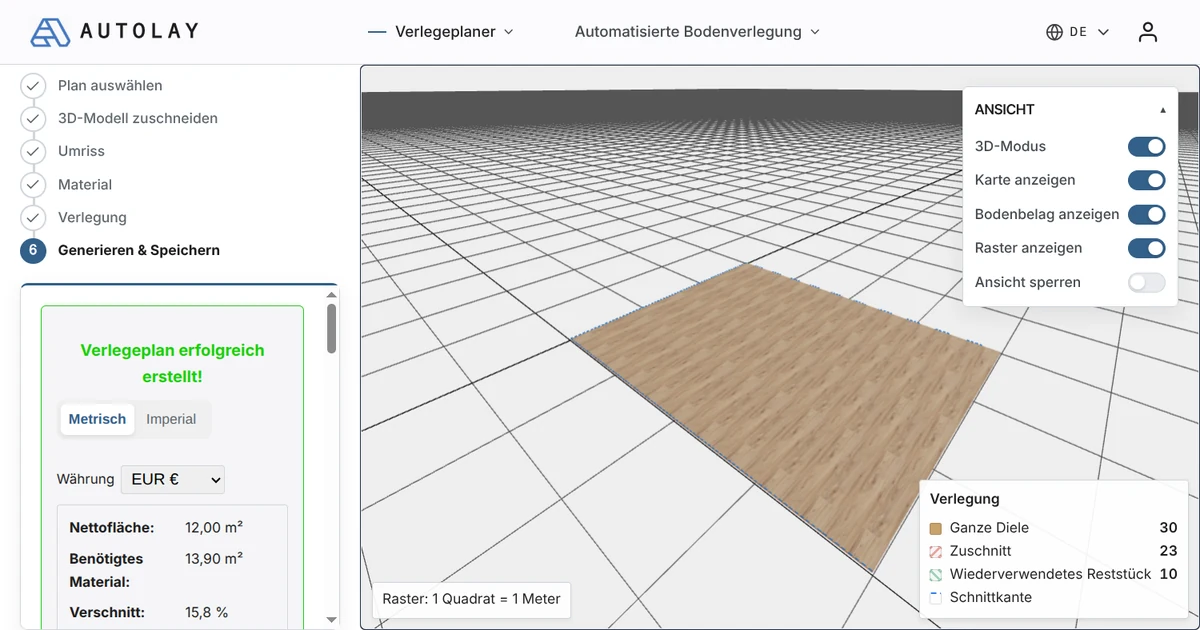
The Autolay result step with pack count, waste percentage and the total price of the material.
The result step: packs, waste, accessories and the total — in the currency of your locale.
Open the demo plan →

Cost FAQ

Where do the prices come from?
From you and from the accessory catalogue. You enter what your supplier charges for the floor itself — per square metre, or per pack — and underlay, adhesive, grout and skirting are priced in the unit they are sold in.
Does it charge for whole packs?
Yes. The material actually needed is divided by the pack coverage and rounded up, so the total matches the till and not the theoretical area. The surplus is shown separately.
Can I quote a job with labour in it?
Yes — the advanced mode takes separate rates for material, subfloor preparation, adhesive and installation per square metre, so the total reads like a tender line rather than a shopping basket.
Which currencies are supported?
Euro, US dollar, pound sterling, Swiss franc, Canadian and Australian dollar. The default follows your language, and a price entered per square foot is converted for you.

Vloergidsen

Ontdek hoe autolay een vloer meet, plant en calculeert:

  • Exact in plaats van vuistregelWaarom een gesimuleerd legplan de vaste marge van 5–15% snijverlies verslaat – en hoe u het exacte aantal planken en pakken krijgt voor elke ruimte en elk patroon, gratis.
  • LaminaatcalculatorGratis laminaatcalculator: het aantal planken, de te kopen pakken en het echte snijverliespercentage uit uw plattegrond en legrichting — niet oppervlakte plus 10 %.
  • TegelcalculatorGratis tegelcalculator: hele tegels, randsneden en het echte snijverliespercentage uit uw plattegrond — niet oppervlakte maal een vaste 10 %.

Alle gidsen →