Tile layout planner: your free tile layout plan
A tile layout plan shows, before you set a single tile, where every tile goes, where you have to cut and how many boxes to buy. The Autolay planner draws it for free from your room's dimensions or a photo of the floor plan, right in your browser and without an account.
On a tile job, the expensive mistakes are made before the first bucket of adhesive is mixed: a sliver of cut tile along the most visible wall, a grout line that misses the centre of the doorway, a box that runs out on Saturday afternoon. A tile layout plan settles all of that on paper. People used to do it with graph paper and a pencil; the planner lays every tile in the real outline of your room, shifts the grid so the cut tiles at the walls come out as wide as possible, and counts the tiles from that drawing instead of from an area with a rough allowance added.
What the tile layout plan shows
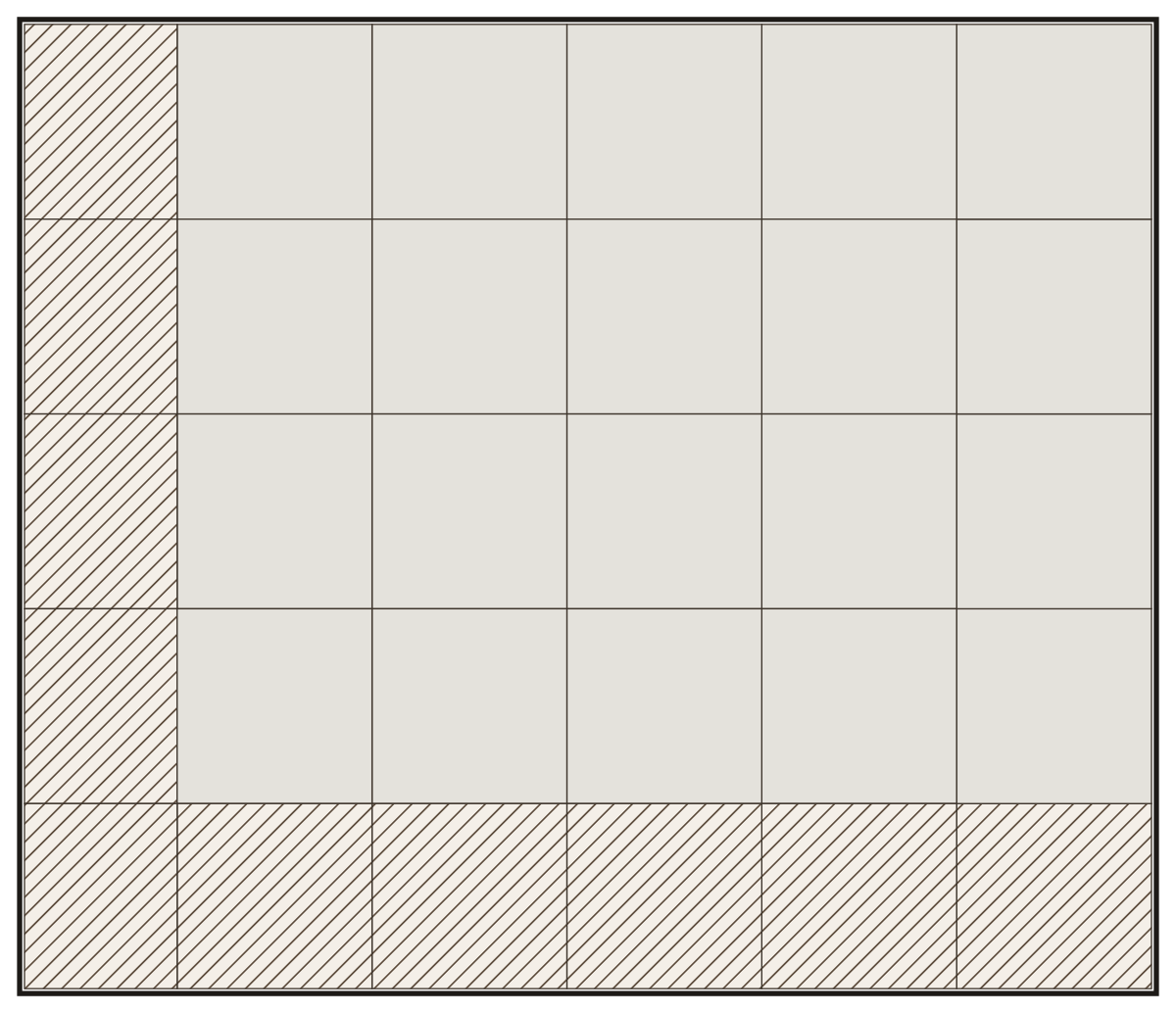

How many 60 × 60 cm tiles your room needs
60 × 60 cm is one of the most common floor tile sizes. This is what a tile-by-tile count of each room gives, cuts included:
| Room | Tiles | Cuts | Boxes |
|---|---|---|---|
| 2 × 1.5 m | 9 | 8 | 3 |
| 2.5 × 2 m | 16 | 14 | 5 |
| 3 × 2.5 m | 25 | 13 | 7 |
| 4 × 3 m | 35 | 15 | 10 |
| 5 × 4 m | 56 | 21 | 15 |
| 6 × 5 m | 90 | 34 | 24 |
A reusable offcut covers another cut, which is why there are often more cuts than tiles that get cut. The boxes include 5 % spare for breakage and repairs, at least two tiles. A small room loses proportionally more to cuts than a large one, so the waste share drops as the room grows.
Example: the tile layout plan for a 3.5 × 3 m kitchen
The kitchen measures 3.5 × 3 m, which is 10.5 m². The tiles are 60 × 60 cm and come 4 to a box. The plan leaves an expansion joint along every wall, so the area that is actually tiled is a little smaller than the room.
The plan lays 20 whole tiles and 10 cut tiles, 30 tiles in all, so you buy 8 boxes, with 4.8 % waste. Every cut tile is drawn in its place with its size, so the cut list can go straight to the saw.
Move the starting point or switch to a half offset and the plan redraws itself, with the box count updated at once. That way you see which choice needs fewer cuts before you have bought anything.
The tile layout plan is made in the free floor planner, the same tool as for laminate and wood floors, with tile chosen as the material.
Only need a quantity, without a plan? The tile calculator gives you tiles and boxes in seconds.
Make your tile layout plan in three steps
Open the sample kitchen
The button opens the planner on a kitchen that is already tiled, so you see right away what a finished tile layout plan looks like.
Enter your room and your tile
Type in the length and width of your room, or upload a photo, a PDF or a DXF file of the floor plan and trace the walls. Then enter your tile size and how many tiles come in a box.
Choose the pattern and download the plan
Pick a straight lay or an offset, move the starting point if you need to, then download the plan with the cut list and the box count as a PDF.
Every screen of the planner, from drawing the room to the material list, is explained in the step-by-step layout plan guide.
Questions about the tile layout plan
- What is a tile layout plan?
- A drawing of your room with every tile in its place. It shows where tiling starts, where the grout lines fall and which cuts to make, and it is what you count the tiles to buy from.
- Is the tile layout planner really free?
- Yes. The planner runs free in your browser, with nothing to install and no account; you download the plan as a PDF.
- Where should I start laying tile?
- Usually from the centre line of the room or from the doorway, so the cuts are equal on two opposite walls and no cut is narrower than a third of a tile. The plan shows the result of both choices before you lay anything.
- How many extra tiles should I buy?
- Plan on 5 to 10 % for a straight lay and 10 to 15 % on the diagonal. A small room needs more than a large one; the plan gives the figure for your room, and a few spare tiles for later repairs are still a good idea.
- Can I plan a bathroom or an L-shaped room?
- Yes. Draw the room from its dimensions or from a photo of the floor plan: jogs, niches and doorways are tiled just as they will be in real life.
Make the tile layout plan for the sample kitchen
Upload your floor plan and the free planner works out the exact packs and waste before you order.
Open the tile layout plan